
A pop-up video provides a richer and more immersive experience for readers, as it combines visual and audio elements to create a more dynamic presentation. In addition, it can help clarify complex concepts and provide more understandable content to readers with text dyslexia.
Next, let’s see how to add a [فيديو منبثق] action to an element.
انقر فوق عنصر على اللوحة القماشية -> انقر فوق [أجراءات] in the properties panel -> select a triggering timing -> [فيديو منبثق] -> select a video type
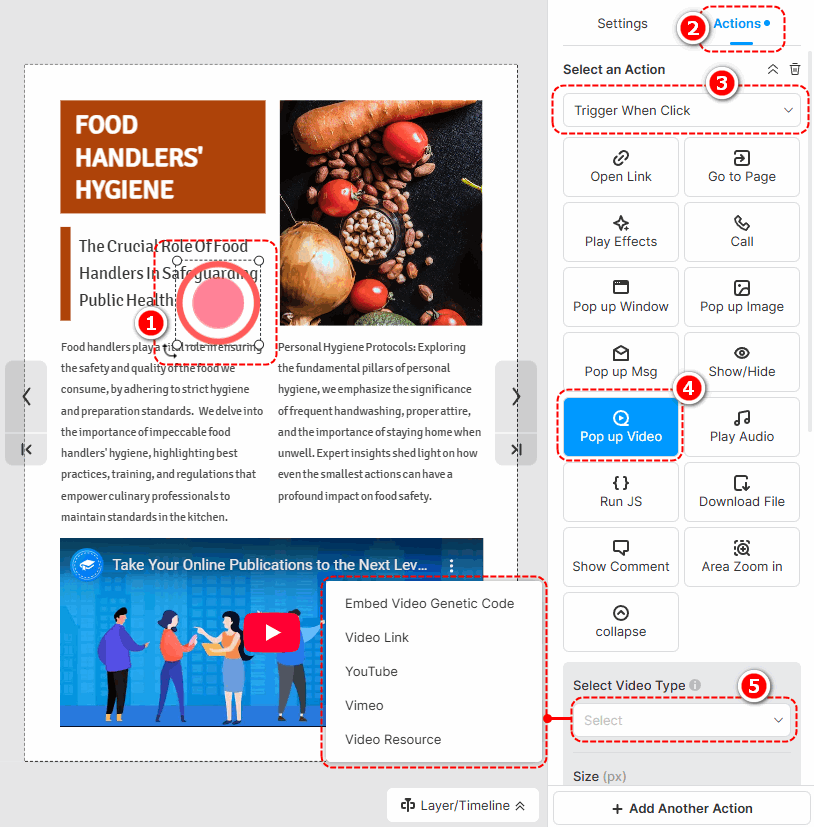
The following are the cautions for adding different types of pop-up videos.
- Embed Video Genetic Code: Paste an embed code of a video.
- Video Link: Use an online URL of a video to add a video.
- YouTube: Paste a YouTube video ID or URL to add a video.
- Vimeo: Paste a Vimeo video ID or URL to add a video.
- Video Resource: انقر [إضافة فيديو من المكتبة اليسرى] to add a local video. (Check out how to upload a local video)
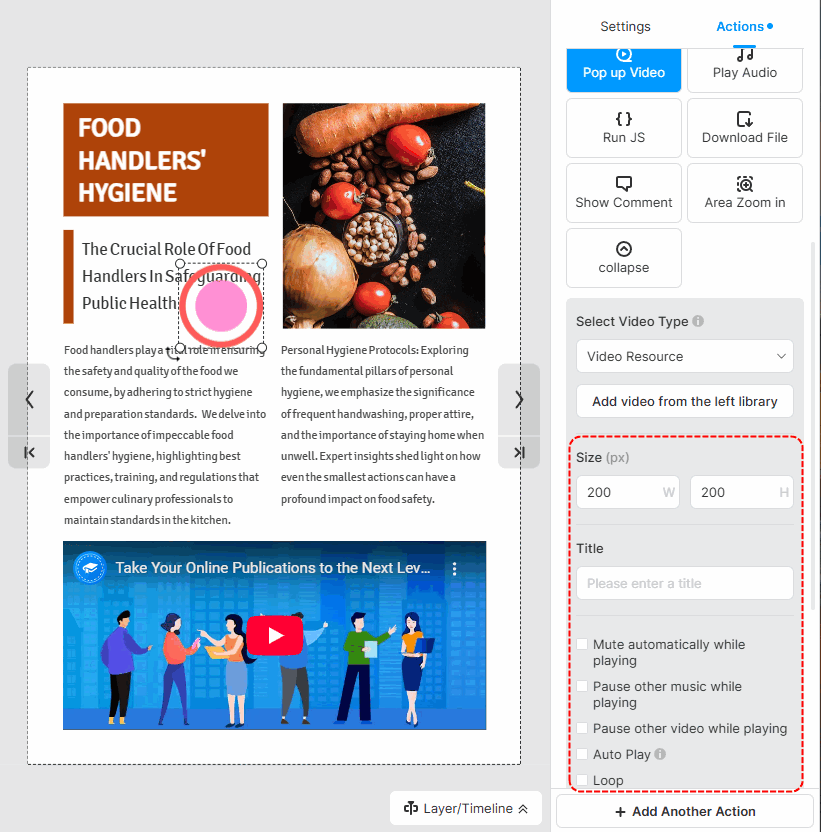
After successfully adding a video, you can set the size of the video, write a title, and choose its player settings.
▎ملاحظة:
1. Added videos by embedding the video genetic code are not allowed to customize player settings.
2. The YouTube and Vimeo videos are muted by default. So if you tick [Auto play] for those videos, you should manually turn their sound on when playing.
الشروط المتعلقة بالمقال:
فيديو منبثق ، وسائط منبثقة ، تخصيص نافذة منبثقة ، تصميم منبثق ، عناصر تفاعلية ، دفاتر رسوم متحركة تفاعلية ، تفاعل المستخدم ، حجم النافذة المنبثقة ، أنماط منبثقة ، إضافة عناصر منبثقة ، تحرير نافذة منبثقة العناصر ، وتعزيز الوسائط المتعددة ، وتعزيز التفاعل


