
A pop-up video provides a richer and more immersive experience for readers, as it combines visual and audio elements to create a more dynamic presentation. In addition, it can help clarify complex concepts and provide more understandable content to readers with text dyslexia.
Next, let’s see how to add a [Αναδυόμενο βίντεο] action to an element.
Κάντε κλικ σε ένα στοιχείο στον καμβά -> κάντε κλικ [Ενέργειες] in the properties panel -> select a triggering timing -> [Αναδυόμενο βίντεο] -> select a video type
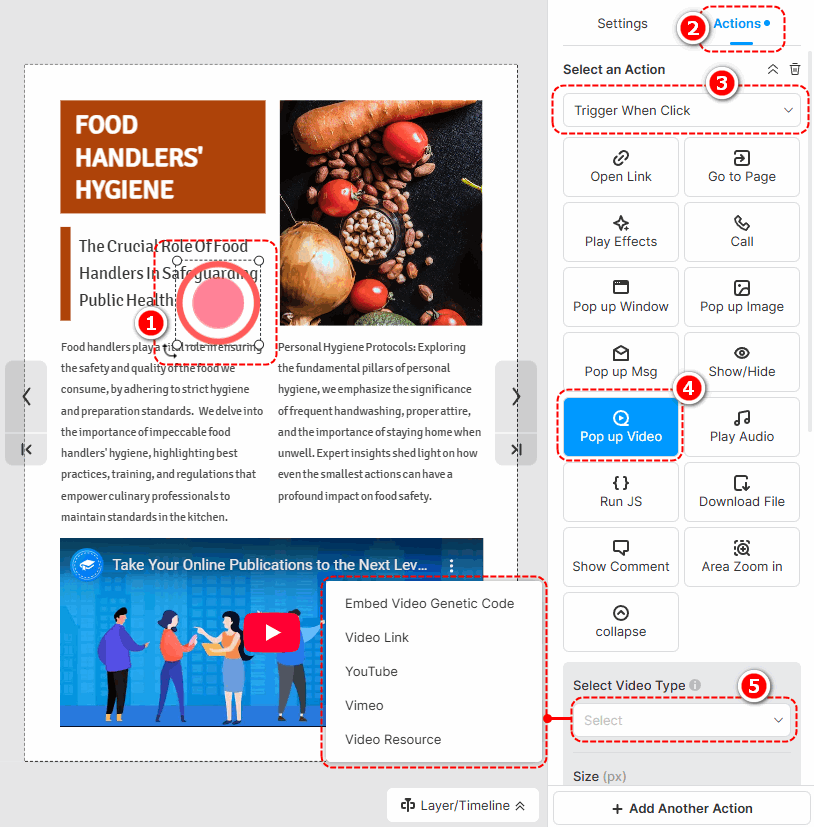
The following are the cautions for adding different types of pop-up videos.
- Embed Video Genetic Code: Paste an embed code of a video.
- Video Link: Use an online URL of a video to add a video.
- YouTube: Paste a YouTube video ID or URL to add a video.
- Vimeo: Paste a Vimeo video ID or URL to add a video.
- Video Resource: Κάντε κλικ [Προσθήκη βίντεο από την αριστερή βιβλιοθήκη] to add a local video. (Check out how to upload a local video)
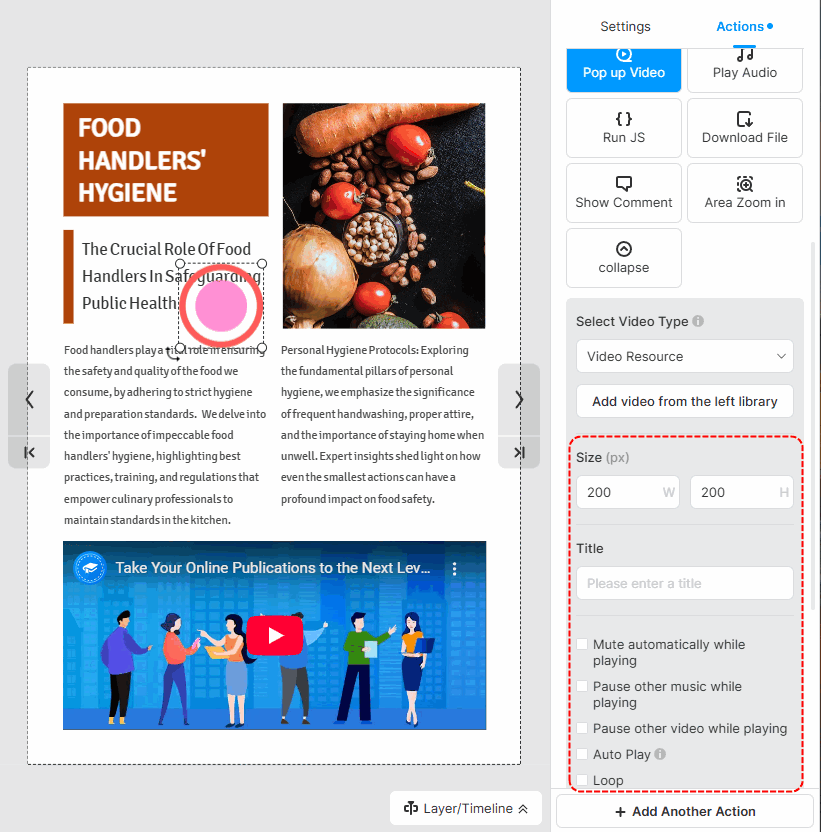
After successfully adding a video, you can set the size of the video, write a title, and choose its player settings.
▎Σημείωση:
1. Added videos by embedding the video genetic code are not allowed to customize player settings.
2. The YouTube and Vimeo videos are muted by default. So if you tick [Auto play] for those videos, you should manually turn their sound on when playing.
Όροι που σχετίζονται με το άρθρο:
αναδυόμενο βίντεο, αναδυόμενα μέσα, προσαρμογή αναδυόμενων παραθύρων, σχεδιασμός αναδυόμενων παραθύρων, διαδραστικά στοιχεία, διαδραστικά flipbook, αφοσίωση χρήστη, μέγεθος αναδυόμενου παραθύρου, στυλ αναδυόμενων παραθύρων, προσθήκη στοιχείων αναδυόμενων παραθύρων, επεξεργασία αναδυόμενων παραθύρων στοιχεία, ενίσχυση πολυμέσων, ενίσχυση διαδραστικότητας


