
A pop-up video provides a richer and more immersive experience for readers, as it combines visual and audio elements to create a more dynamic presentation. In addition, it can help clarify complex concepts and provide more understandable content to readers with text dyslexia.
Next, let’s see how to add a [Açılır Video] action to an element.
Tuvaldeki bir öğeye tıklayın -> tıklayın [Hareketler] in the properties panel -> select a triggering timing -> [Açılır Video] -> select a video type
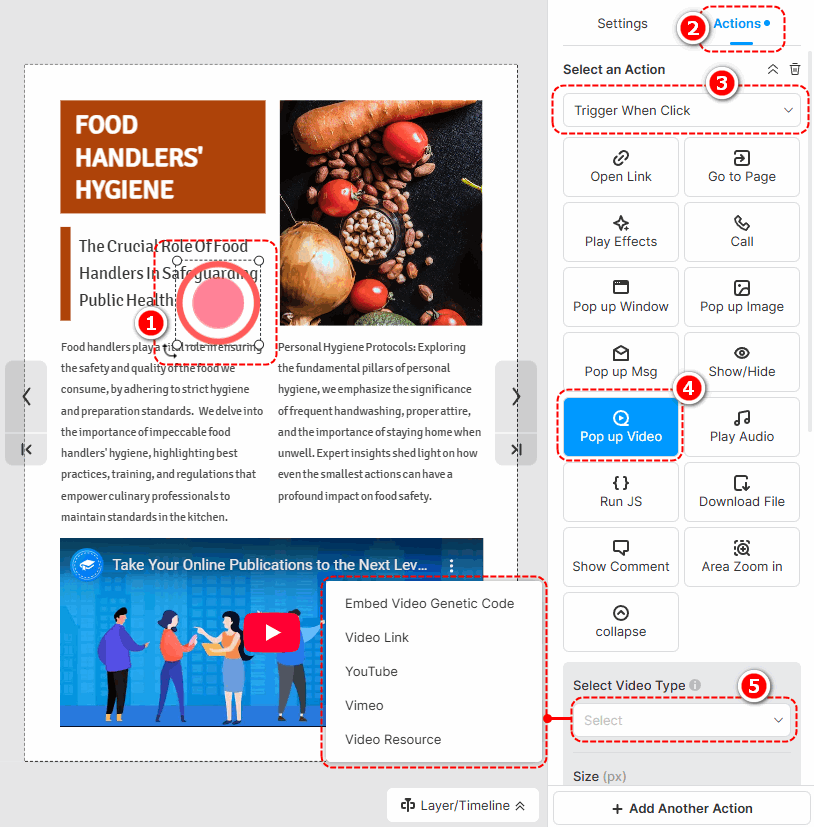
The following are the cautions for adding different types of pop-up videos.
- Embed Video Genetic Code: Paste an embed code of a video.
- Video Link: Use an online URL of a video to add a video.
- YouTube: Paste a YouTube video ID or URL to add a video.
- Vimeo: Paste a Vimeo video ID or URL to add a video.
- Video Resource: Tıklamak [Sol kitaplıktan video ekle] to add a local video. (Check out how to upload a local video)
After successfully adding a video, you can set the size of the video, write a title, and choose its player settings.
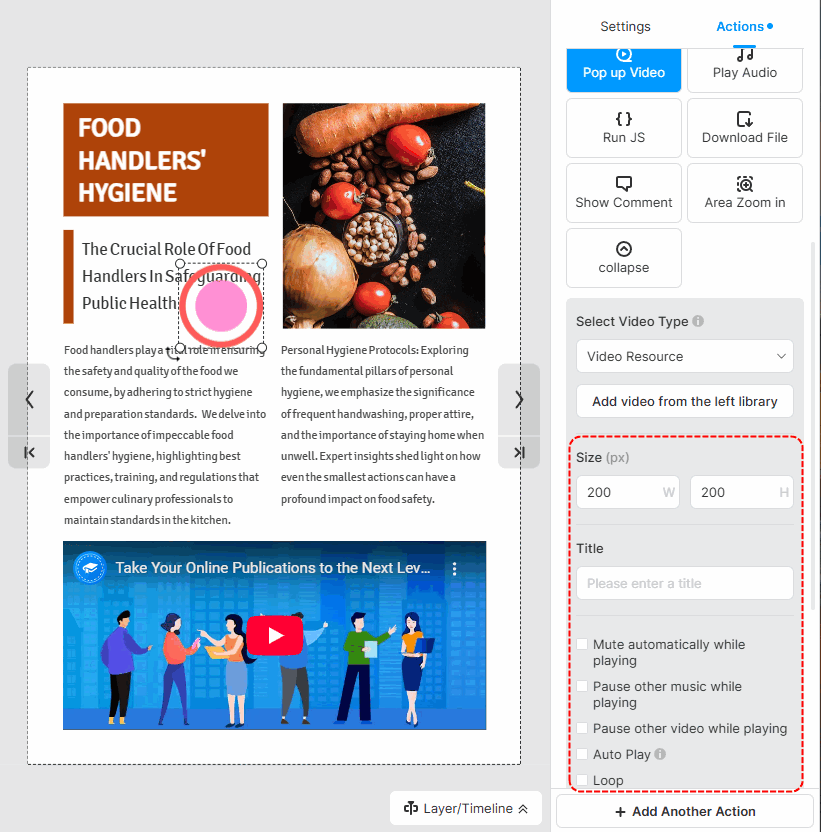
▎Not:
1. Added videos by embedding the video genetic code are not allowed to customize player settings.
2. The YouTube and Vimeo videos are muted by default. So if you tick [Auto play] for those videos, you should manually turn their sound on when playing.
Makale ile ilgili terimler:
açılır video, açılır medya, açılır pencere özelleştirme, açılır pencere tasarımı, etkileşimli öğeler, etkileşimli hareketli kitaplar, kullanıcı etkileşimi, açılır pencere boyutu, açılır stiller, açılır pencere öğeleri ekleme, açılır pencereyi düzenleme unsurlar, multimedyayı geliştirme, etkileşimi geliştirme


