
A pop-up video provides a richer and more immersive experience for readers, as it combines visual and audio elements to create a more dynamic presentation. In addition, it can help clarify complex concepts and provide more understandable content to readers with text dyslexia.
Next, let’s see how to add a [弹出视频] action to an element.
单击画布上的元素 -> 单击 [行动] in the properties panel -> select a triggering timing -> [弹出视频] -> select a video type
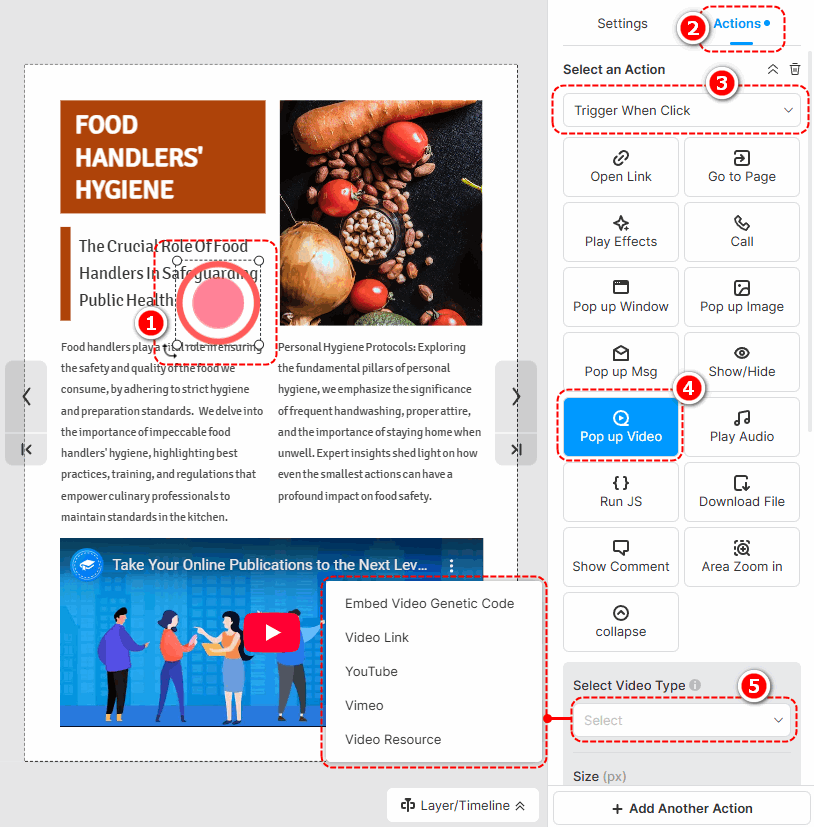
The following are the cautions for adding different types of pop-up videos.
- Embed Video Genetic Code: Paste an embed code of a video.
- Video Link: Use an online URL of a video to add a video.
- YouTube: Paste a YouTube video ID or URL to add a video.
- Vimeo: Paste a Vimeo video ID or URL to add a video.
- Video Resource: 点击 [从左侧库添加视频] to add a local video. (Check out how to upload a local video)
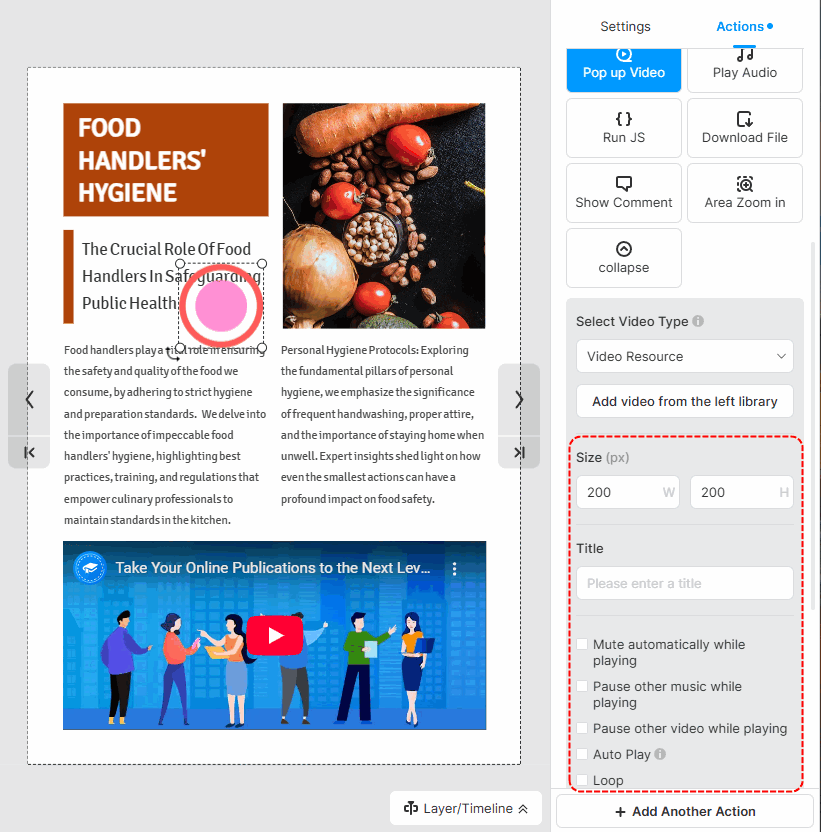
After successfully adding a video, you can set the size of the video, write a title, and choose its player settings.
▎注意事项:
1. Added videos by embedding the video genetic code are not allowed to customize player settings.
2. The YouTube and Vimeo videos are muted by default. So if you tick [Auto play] for those videos, you should manually turn their sound on when playing.
文章相关术语:
弹出视频、弹出媒体、弹出窗口定制、弹出设计、交互元素、交互式翻页书、用户参与度、弹出窗口大小、弹出窗口样式、添加弹出窗口元素、编辑弹出窗口元素,增强多媒体,增强交互性


